The “If Something Happens to Me” Binder
If something happened tomorrow, would your family know where everything is?
One calm, organized place for what they would need: who to call, where the documents are, which bills are on autopay, and what matters to you. Fill it in once, review it once a year.
- Secure checkout by Stripe
- Fillable PDF + print PDF + workbook
- 14-day money-back guarantee
Checkout opens soon. Nothing can be bought on this page yet.
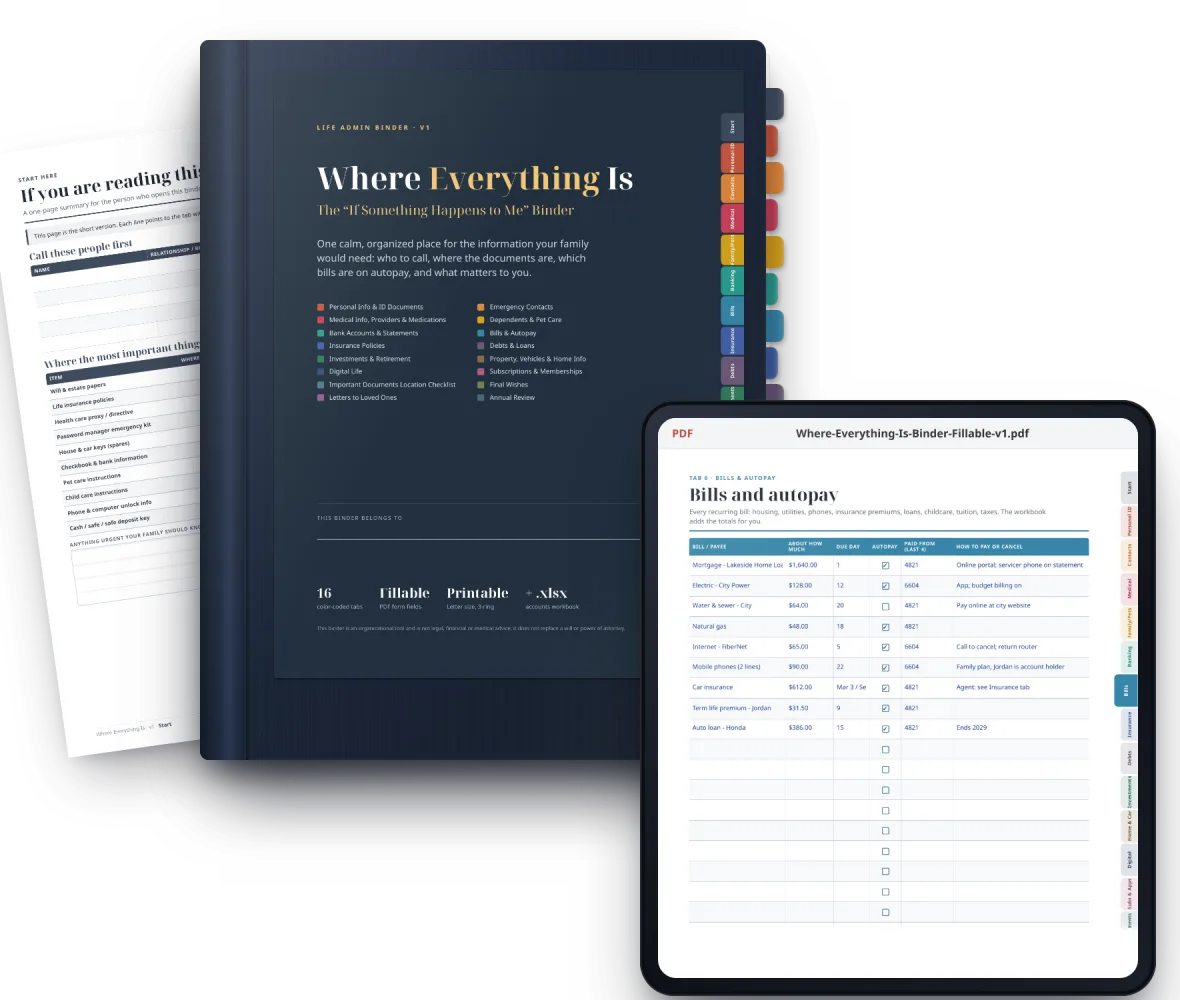
- 17color-coded tabs, Start Here to Annual Review
- 58pages, US Letter, 3-ring ready
- 2,793fillable fields: type and save on screen
- + .xlsxworkbook for accounts, bills and subscriptions
Why it matters
Most households run on what one person just knows.
It works perfectly, until that person is in the hospital, traveling, or simply not reachable. Then someone you love has to piece it together from a phone, a drawer and a dozen apps.
Bills on autopay
Mortgage, utilities, insurance premiums. Which card pays what, and how to cancel what is no longer needed.
Documents in a drawer somewhere
The will, the deed, the car title, the passports, the insurance policy. Where each one is kept, and who has a copy.
Contacts only in your phone
The doctor, the attorney, the tax preparer, the neighbor with the spare key, the vet. Who to call first.
Accounts and logins, scattered
Banks, retirement accounts, subscriptions, the password manager. Not the passwords themselves: where things are, and who can get in.
Writing it down is one of the kindest, most practical things you can do for the people you love. This binder makes it calm and doable, one tab at a time.
What's inside
Seventeen tabs. Everything in its place.
Each colored tab is a section your family is likely to need, in the order they are likely to need it. In the fillable PDF, every tab is a link: tap it on any page to jump there.
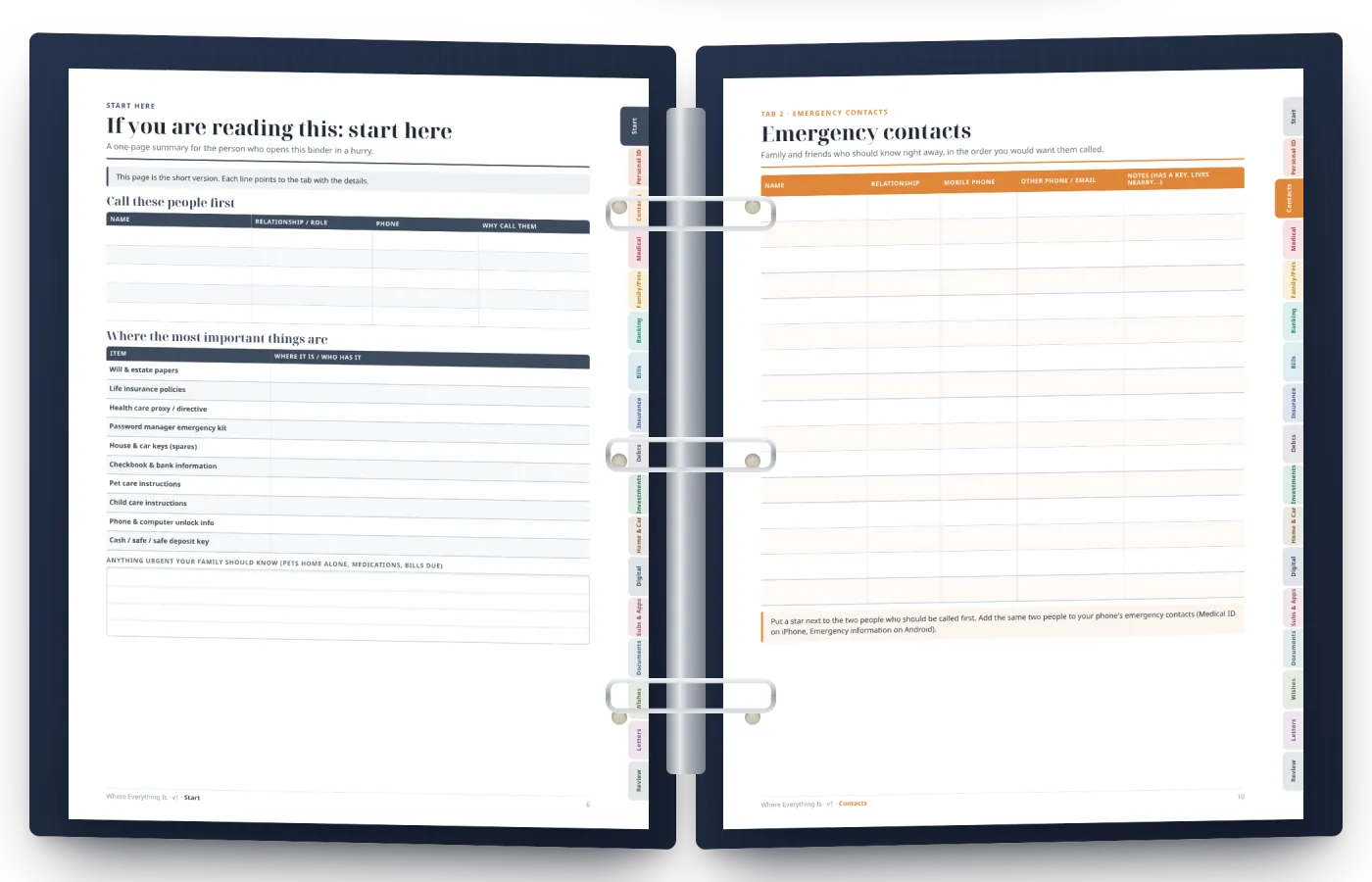
The 17 tabs
- SStart Here: how to use it, where to keep it, a one-page summary6 pp
- 1Personal Info & ID Documents3 pp
- 2Emergency Contacts3 pp
- 3Medical Info, Providers & Medications5 pp
- 4Dependents & Pet Care4 pp
- 5Bank Accounts & Statements2 pp
- 6Bills & Autopay2 pp
- 7Insurance Policies4 pp
- 8Debts & Loans2 pp
- 9Investments & Retirement2 pp
- 10Property, Vehicles & Home Info5 pp
- 11Digital Life4 pp
- 12Subscriptions & Memberships2 pp
- 13Important Documents Location Checklist2 pp
- 14Final Wishes3 pp
- 15Letters to Loved Ones4 pp
- 16Annual Review5 pp
Your download
- PDFThe binder, fillable58 pages you can type into and save, with clickable tabs and a clickable table of contents.
- PDFThe binder, print-readyThe same pages without form fields, to print on US Letter and write by hand. Same page numbers.
- XLSXThe workbookAccounts, bills & autopay, subscriptions, insurance, contacts and home inventory, with monthly and yearly totals. Opens in Excel, Google Sheets, Numbers or LibreOffice.
- XLSXThe workbook, exampleThe same workbook filled in for a fictional household, so you can see how it works before you start.
- PDFStart HereA two-page guide: what is in the download, a 15-minute start, safety and printing tips.
A look at the pages
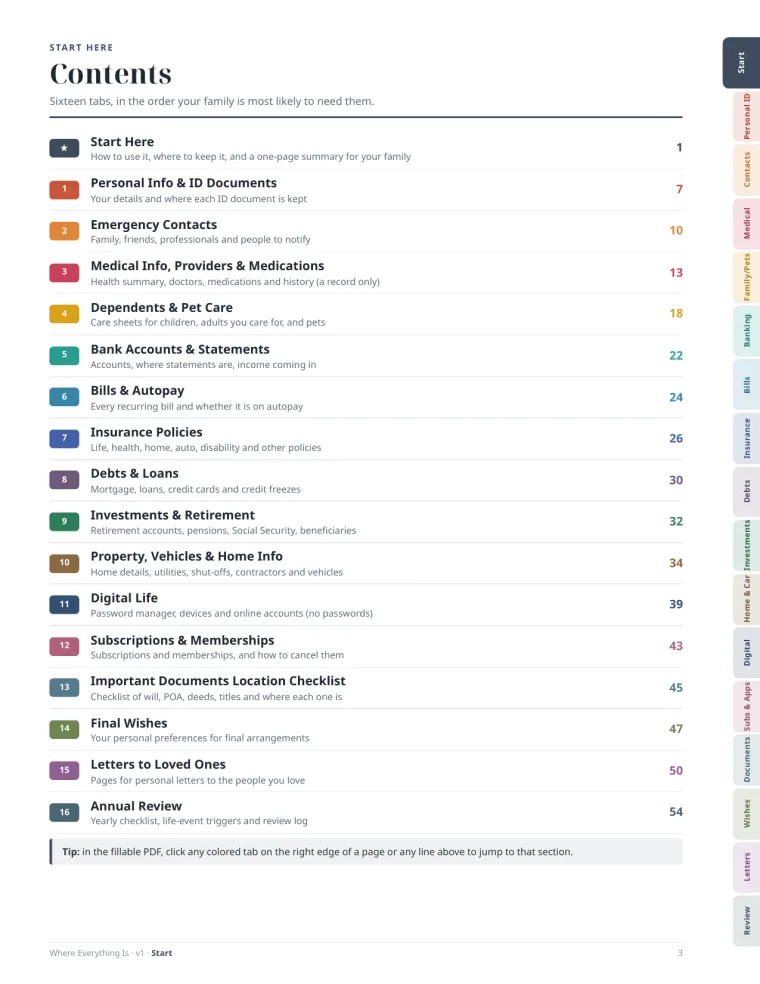
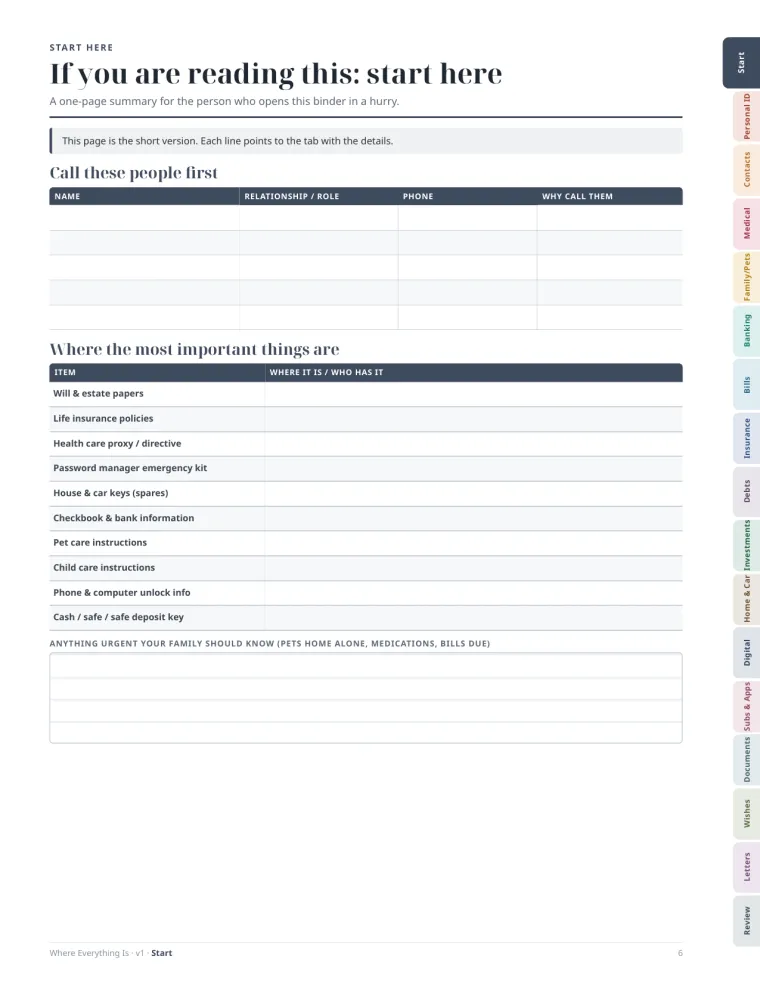
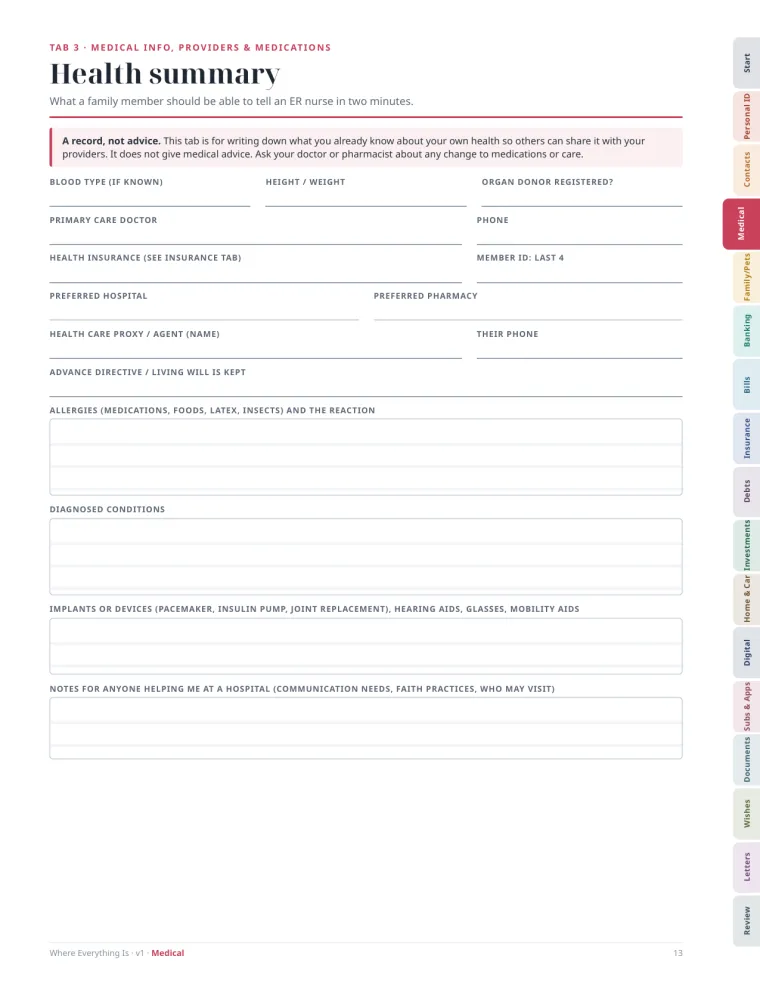
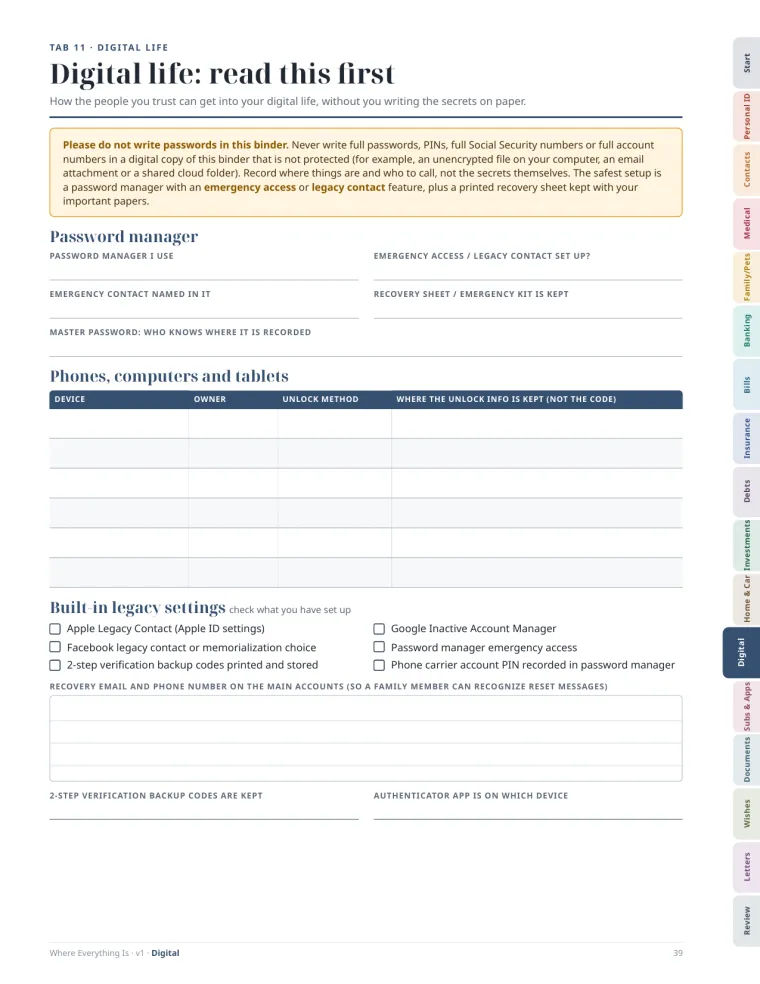
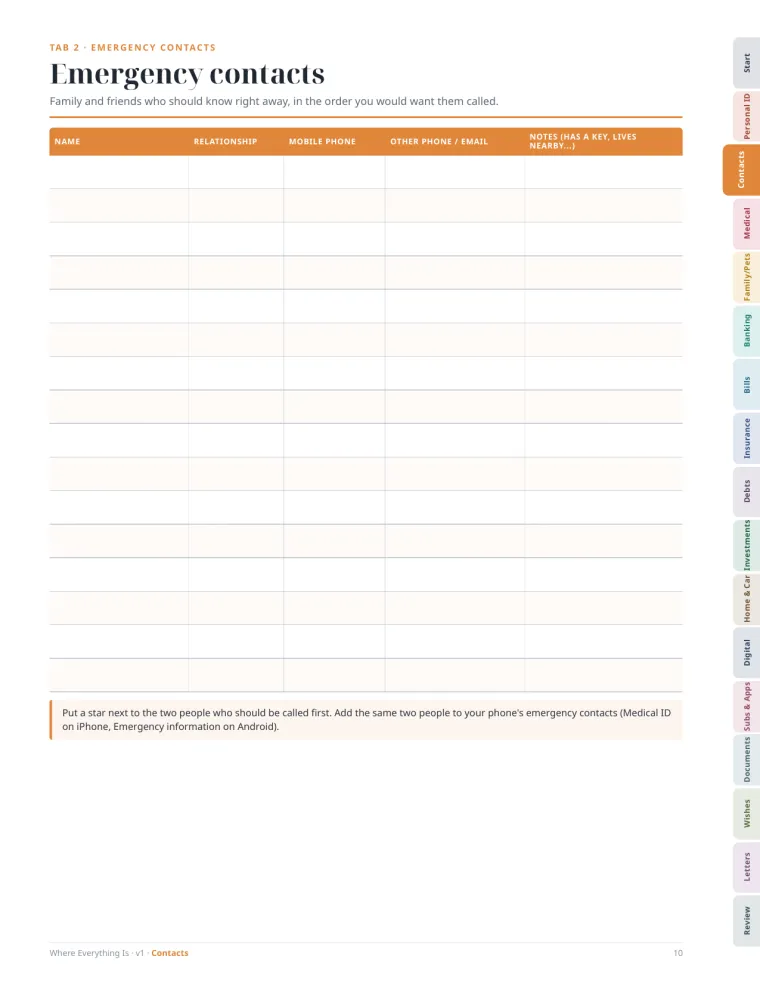
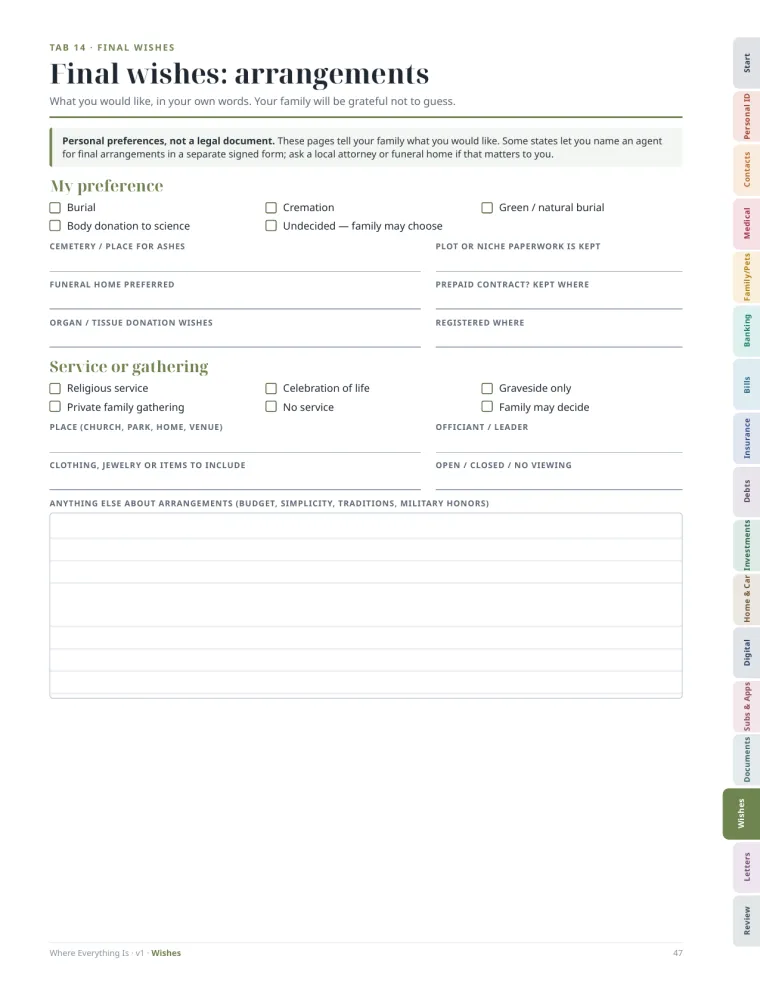
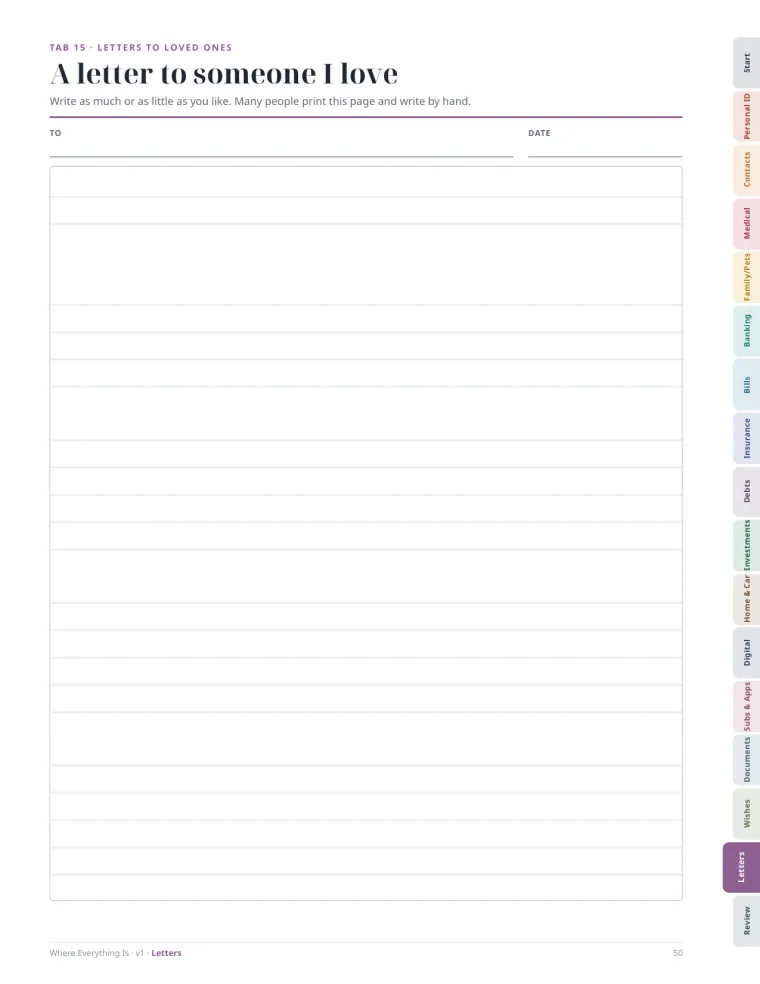
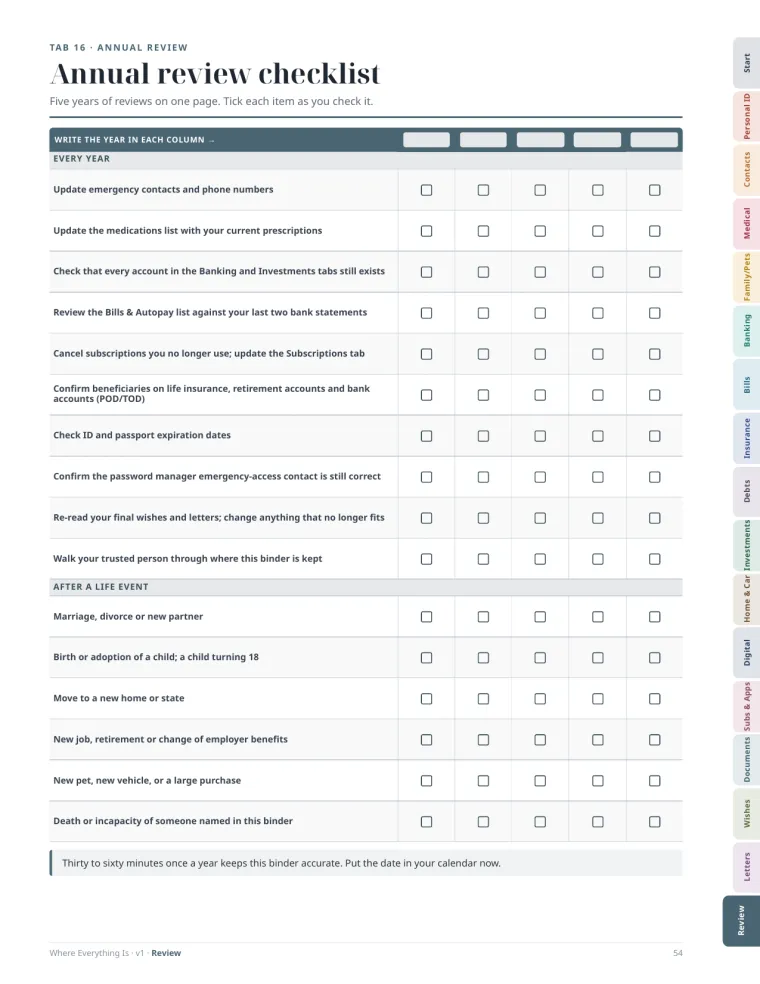
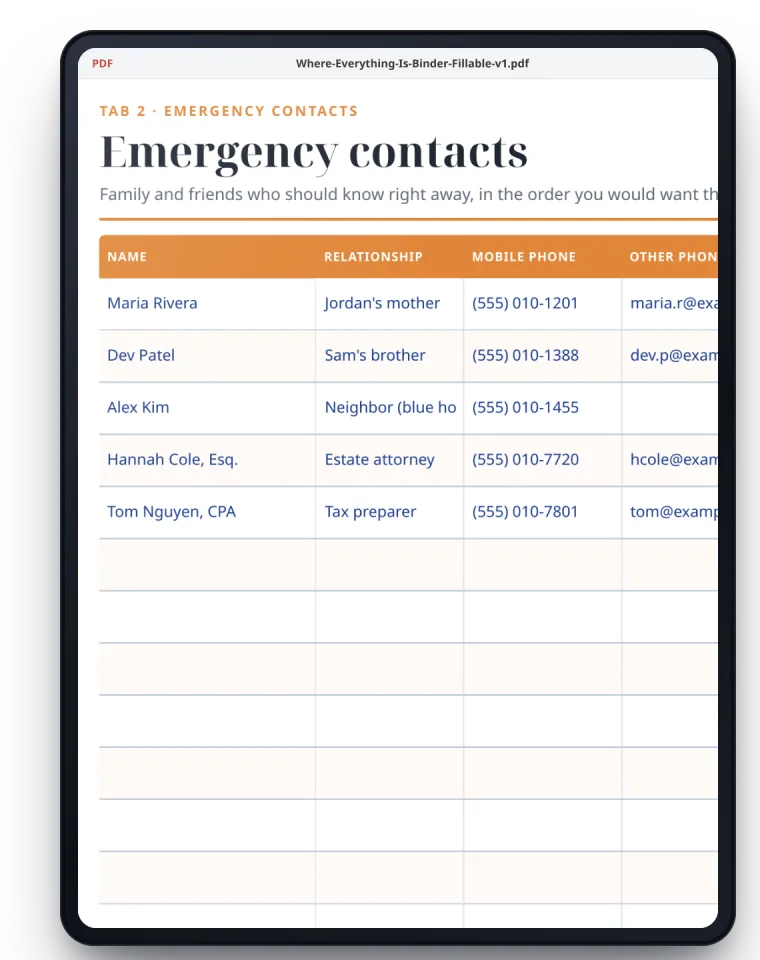
Shown filled in with a fictional example family. Your files arrive blank.
On screen or on paper
Type it in. Or write it by hand.
Use whichever feels right. Many people do both: fill it on the computer, then print a copy for the binder on the shelf.
- Fillable PDF: open it in the free Adobe Acrobat Reader (Windows, Mac, iPad, Android) or Mac Preview, type in any field and save.
- Print PDF: US Letter, “Actual size”, into a 1.5-inch 3-ring binder.
- Workbook: lists that grow and change (bills, subscriptions, policies) are easier to keep in a spreadsheet that adds the totals for you.
How it works
Three steps. No rush.
You don't have to finish it in a weekend. The Start Here guide shows where to begin so it is useful from day one.
- i.
Fill it in
Start with the “If you are reading this” page and Emergency Contacts, about 15 minutes. Add one tab whenever you have a quiet half hour.
- ii.
Keep it somewhere safe
A fire-resistant box or a locked drawer for paper; an encrypted or password-protected place for the digital copy. Tell one or two trusted people where it is.
- iii.
Review it once a year
The Annual Review tab is a short checklist with five yearly columns. Put a date on your calendar, and update after big life events.
Who it's for
For anyone someone counts on.
Couples
When one of you handles the bills and the other handles the insurance, each of you can see the whole picture.
Parents of young children
Care sheets for each child, guardians' contacts and routines, ready for a grandparent or sitter.
Adult children of aging parents
A gentle, structured way to sit down together and write down what you would otherwise have to guess.
People who live alone
So a sibling, a friend or a neighbor would know who to call, where things are, and who looks after the pet.
Designed with safety in mind
It records where things are, not your secrets.
The binder is built so that losing a copy is not a disaster.
No passwords. Ever.
Never write passwords, PINs or full account or Social Security numbers in a digital copy that isn't protected. No field asks for them.
Only the last four digits
Accounts and cards are identified by the last 4 digits, enough for your family to find the right one, not enough to misuse it.
Emergency access, the right way
The Digital Life tab helps you set up a password manager's emergency access or legacy contact, and note who it is.
This binder is an organizational tool and is not legal, financial or medical advice; it does not replace a will or power of attorney.
For a will, a power of attorney, guardianship or health-care directives, please talk to a licensed attorney in your state.
Questions
Good to know before you buy.
Anything else? Write to [SUPPORT EMAIL].
How do I receive it?
Right after payment you are taken to your download page with all five files. Save them to your computer or cloud drive. Stripe also emails you a receipt.
If you close the page before downloading, email [SUPPORT EMAIL] with the email you used at checkout and we will send your files.
Will what I type be saved?
Yes, when you use a PDF reader. The free Adobe Acrobat Reader (Windows, Mac, iPad, Android) lets you type in every field and save; Mac Preview also works.
Some web browsers can fill the fields but may not save them, so download the file first and open it in a reader. Tip: save a copy under a new name before typing, so you always keep a clean blank.
Can I print it?
Yes. Use the print-ready PDF on US Letter paper at “Actual size”, and put it in a 1.5-inch 3-ring binder (use a 3-hole punch or pre-punched paper). The colored tabs sit at the edge of the page, so printers with a wide margin may trim part of them; the Start Here guide explains how to handle that.
Should I write my passwords in it?
No. Never write passwords, PINs or full account numbers in a digital copy that isn't protected. The binder records where things are and who can help; the Digital Life tab walks you through a password manager's emergency access instead.
Does it replace a will or a power of attorney?
No. This binder is an organizational tool and is not legal, financial or medical advice; it does not replace a will or power of attorney. It is a great place to note where those documents are kept and who your attorney is.
Which apps open the workbook?
Excel, Google Sheets (Drive → New → File upload, then open with Google Sheets), Apple Numbers and LibreOffice. Look at the example version first, then type into the blank one.
Is this a subscription?
No. It is a one-time payment of $24 in U.S. dollars, and the files are yours to keep. Nothing is shipped; it is a digital download.
Can my partner use it too?
Yes. The license covers your own household, so you can make copies for the people in your home. Please don't share the files publicly or resell them.
What if it isn't right for me?
[REFUND POLICY] Details in our Refund Policy.
Where Everything Is
One afternoon now. Peace of mind for years.
17 tabs, 58 fillable pages, a print-ready version and a workbook, for a one-time $24.
- Secure checkout by Stripe
- 14-day money-back guarantee
Checkout opens soon. Nothing can be bought on this page yet.